Access and credentials
Who can publish
Organizations listed on reliefweb.int/organizations can use the Publish API once they have an approved appname and Publish access.
Request Publish access
Contact ReliefWeb and include:
- Organization name
- Email of your ReliefWeb account
- Document types you will publish (reports, jobs, training)
- Trusted URL prefixes for documents, files, and images. If you host files on a separate CDN or storage domain, include both your organization’s domain (for permanent
urlidentifiers) and the CDN prefix (fordownload_url). See Trusted URLs and UUIDs.
After approval, ReliefWeb creates one API provider per document type you requested (with your organization and trusted URL prefixes) and grants the API User role to your ReliefWeb account, giving you access to your API Dashboard (see below).
API Dashboard
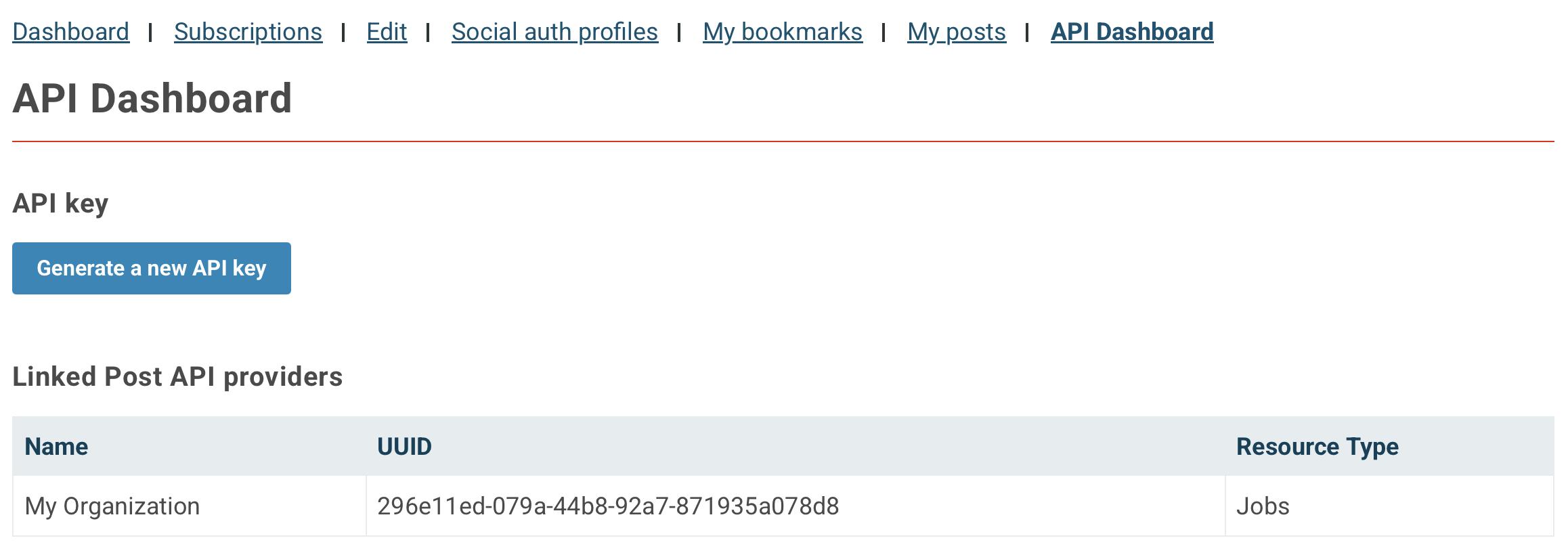
Open the API Dashboard on reliefweb.int to find each provider’s UUID and generate an API key. Use the matching provider UUID when you call that document type’s endpoint.
Changes after approval
Contact ReliefWeb if you need to:
- Update trusted URL prefixes
- Add another document type (a new provider)
- Link another ReliefWeb account to your providers
Authentication
Every request to the Publish API must include:
| Credential | Where | Name |
|---|---|---|
| Appname | Query parameter | appname |
| API key | Header | X-RW-POST-API-KEY |
| Provider ID (UUID) | Header | X-RW-POST-API-PROVIDER |
appname is the same value used for Read / search. Keep the API key secret.
Call the API
curl -X PUT "https://api.reliefweb.int/v2/reports/YOUR-DOCUMENT-UUID?appname=REPLACE-WITH-APP-NAME" \
  -H "Content-Type: application/json" \
  -H "X-RW-POST-API-KEY: YOUR-API-KEY" \
  -H "X-RW-POST-API-PROVIDER: YOUR-PROVIDER-UUID" \
  -d @payload.json
DELETE uses the same URL shape and headers, with no request body. See Withdraw.
Next: Trusted URLs and UUIDs